XR, AI & Social Media
Bachelor's Degree in Communication and Digital Strategies - 16h class - Excelia - La Rochelle 2025

Course schedule
| November 12 | November 13 | |
| AM |
- Introduction / Theory (2h) - AR exercise 1 (2h) |
- Project (4h)
|
| PM |
- AR exercise 2 (2h) - AR exercise 3 (2h) |
- Project (4h)
|
|
Evaluation 1 (Quiz) |
Evaluation 2 (Prototype) |
Presentation
Zapworks Designer : Augmented reality tool
- Multimedia and interaction
Insert texts, images, animated 3D models, videos...
- Augmented reality in webAR
AR experience accessible via a QR code to view products in augmented reality without an app.
- Website integration
The project can be embedded in an iframe tag on any website.
Google Analytics tracking...
Start your Zapworks account
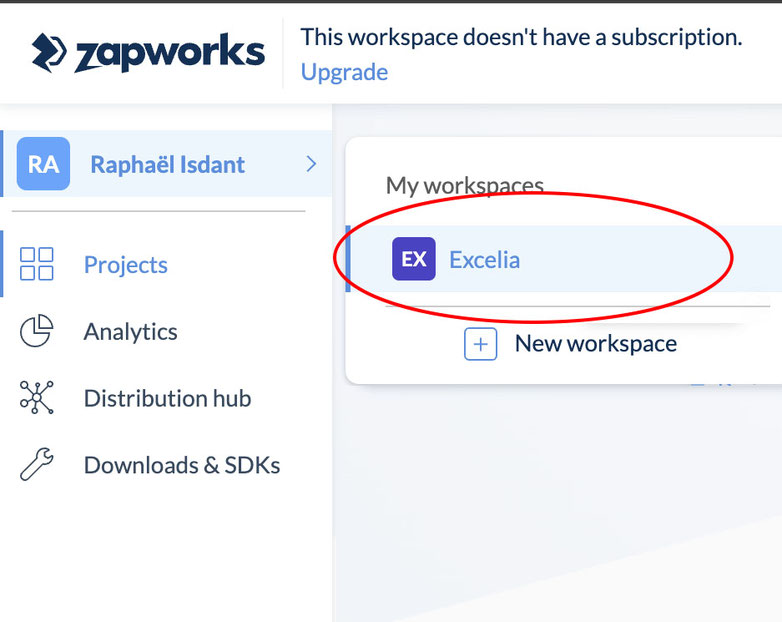
1 - Using the web browser, create a 14-day trial account with your Excelia email address by clicking here.
2 - The Education License will be activated in class email after you received an invitation.
3 - Go to the "Excelia" Workspace to use the license, (see the picture).
Media for exercises (coming soon)

Zapworks Designer user tips
- Use the layers to easily select an object in the scene by list. (Layer icon at the bottom left of the screen)
- Drag the 2D layers from farthest (below) to nearest (above) in list to organize them for accurate transparency when using pictures.
- Use lightweight media (max 5MB per media) to avoid slowing down the experience and its download (total max around 30MB).
- Choose a Target Image with varied and rich visuals (photo/text) to ensure stable recognition.
- Integrate the QR Code into the Target Image to improve image recognition.
- On your printed final Image, insert the published QrCode from your project page, not the temporary one from the the preview screen!
Online resources for creative content
2D Images (.jpg, .png)
- Generate images using AI with freepik.com
- Enhance image quality with upscale.media
- Download free transparent images in png from pngwing.com
- A free Photoshop in the web browser with Photopea
3D Models (.glb)
- Preview your 3D model in a web browser with gltf-viewer.
- Download a 3D model in .glb format from Sketchfab. (check "downloadable")
- Generate a simple 3D model Tripo3d.ai "Light version" (export .glb retopologize : "low" )
- Reduce 3d Model filesize with https://glb.babylonpress.org/
Videos (.mp4)
- Download a YouTube video in .mp4 format with notube.
- Create talking video avatars on a green screen from text with vidnoz (3min/day)
- Create full body talking avatar and montage with deepbrain.io
Miscellaneous
- Test the stability of a Target Image with Pictarize.
- Generate a QR Code linked to a website / media / SMS / contacts, etc. with QR Code Generator.
- Convert any files with freeconvert.
- Create a website in a minute with Google sites ( + embed 3d content)
Examples (flash QrCode in fullscreen)
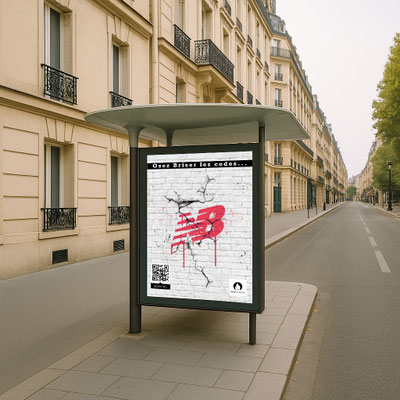

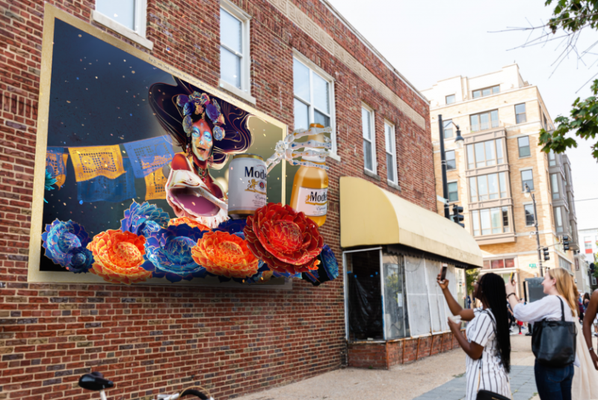
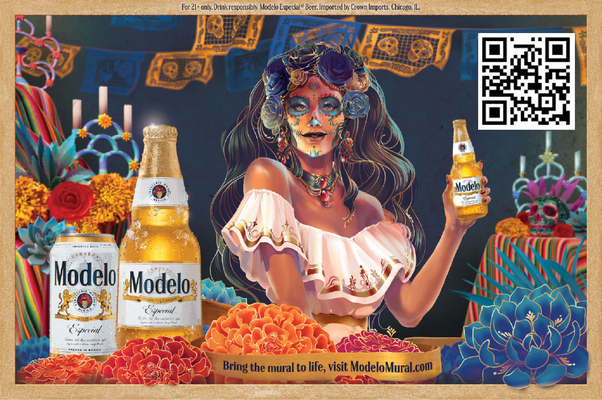
Examples - Web embed / XR
Evaluations
Submit by email with the subject "Evaluation 1 - BCD2" to [email protected]